

There are a lot of AI product photography tools now, and the marketing all sounds similar. The question that sorts them is what they are built to produce: a single better image, or a full listing. Most are built for the first. Pixii is built for the second. Both are useful, and they are different jobs. Many sellers use two tools.
This is a factual field guide to the tools people compare most, Creatify, Soona, Claid, and Flair AI, and where Pixii fits. Where we already have a full head-to-head, it is linked below.
The tools at a glance
| Tool | Best for | What Pixii does differently |
|---|---|---|
| Creatify | AI video ad generator for UGC-style video creatives you run as ads | Pixii builds the static listing images and A+ content an Amazon page actually needs to convert, not video ads. |
| Soona | Virtual studio: real, human-directed photo and video shoots, blended with AI | Pixii returns a complete, editable listing set from one ASIN in about two minutes, with no booked shoot or wait. |
| Claid | AI image enhancement and product photo API: background generation, cleanup, upscaling | Pixii builds the whole coordinated listing, main image, gallery, infographics, and A+ content, instead of single enhanced images. |
| Flair AI | Composing one product scene in a drag-and-drop editor, hands-on art direction | Pixii works at the set and catalog level, keeping every SKU’s listing consistent instead of art-directing one scene at a time. |
Each tool covers its lane. None of the single-image or single-video tools sets the creative strategy, decides what each of the seven gallery slots should say, builds the infographics, and produces A+ content in one consistent pass. Pixii does those steps together.
Capability comparison
| Capability | Pixii | Creatify | Soona | Claid | Flair AI |
|---|---|---|---|---|---|
| AI backgrounds and scenes | — | ||||
| Background removal and cleanup | — | — | |||
| Model and lifestyle shots | — | ||||
| Editable output, not a flat file | — | — | — | Scene only | |
| Full Amazon listing set from an ASIN | — | — | — | — | |
| Infographics with callouts and copy | — | — | — | — | |
| A+ Content modules (desktop and mobile) | — | — | — | — | |
| Trained on 100,000 top Amazon listings | — | — | — | — | |
| Catalog scale | Clone + Factory | — | — | API | — |
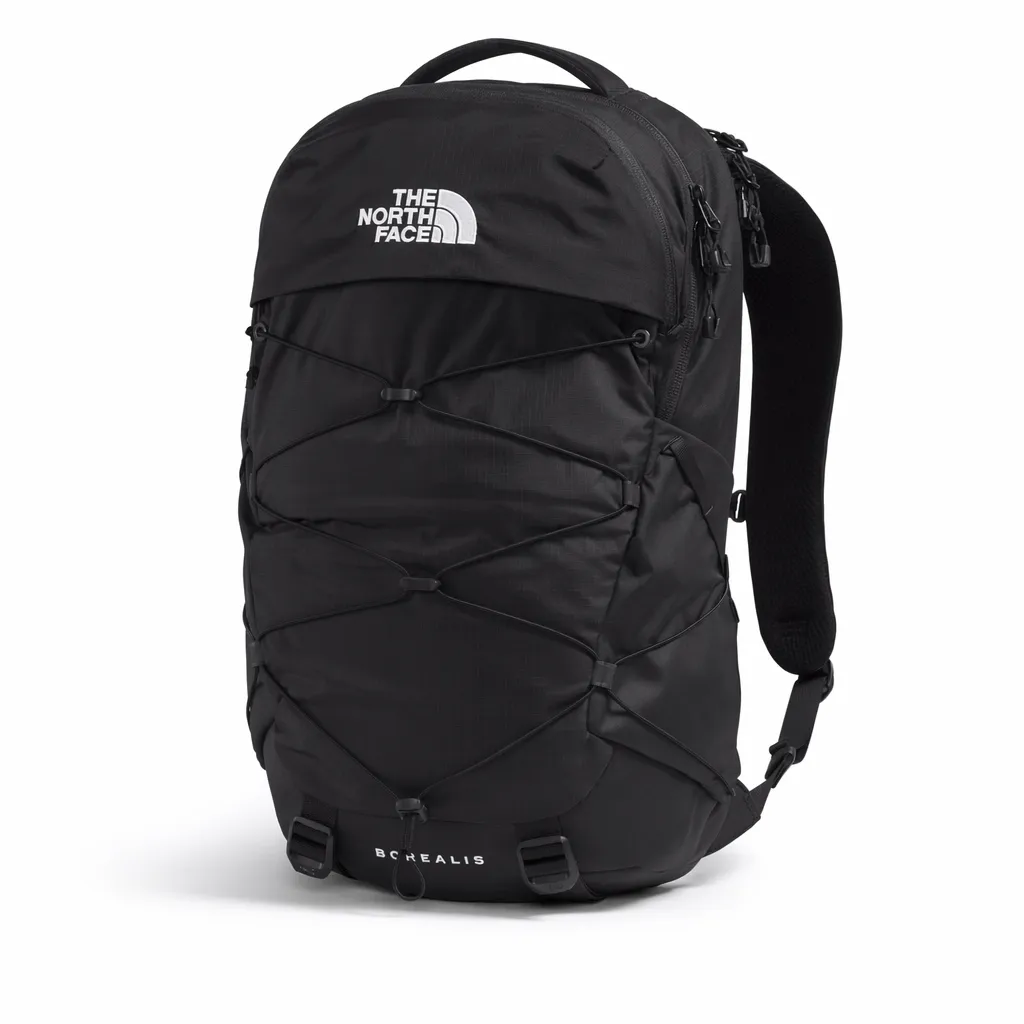
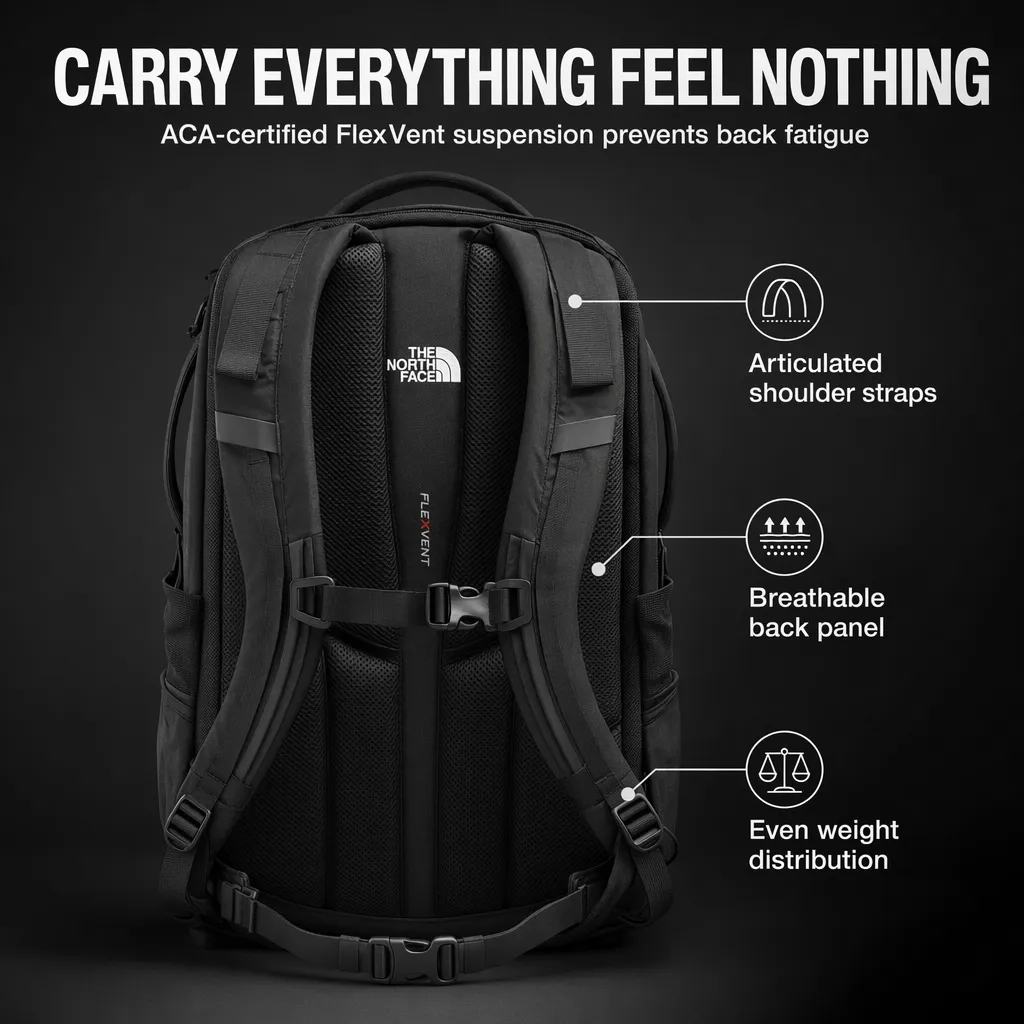
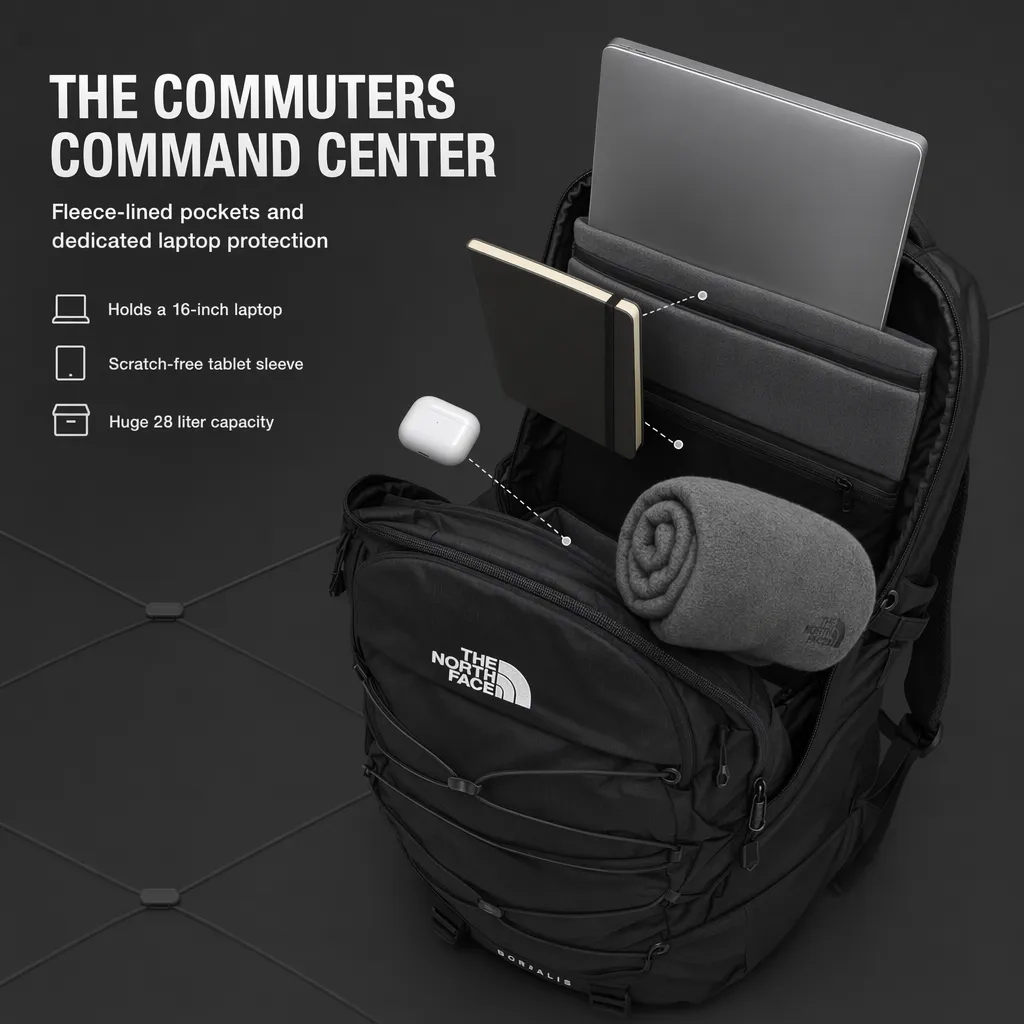
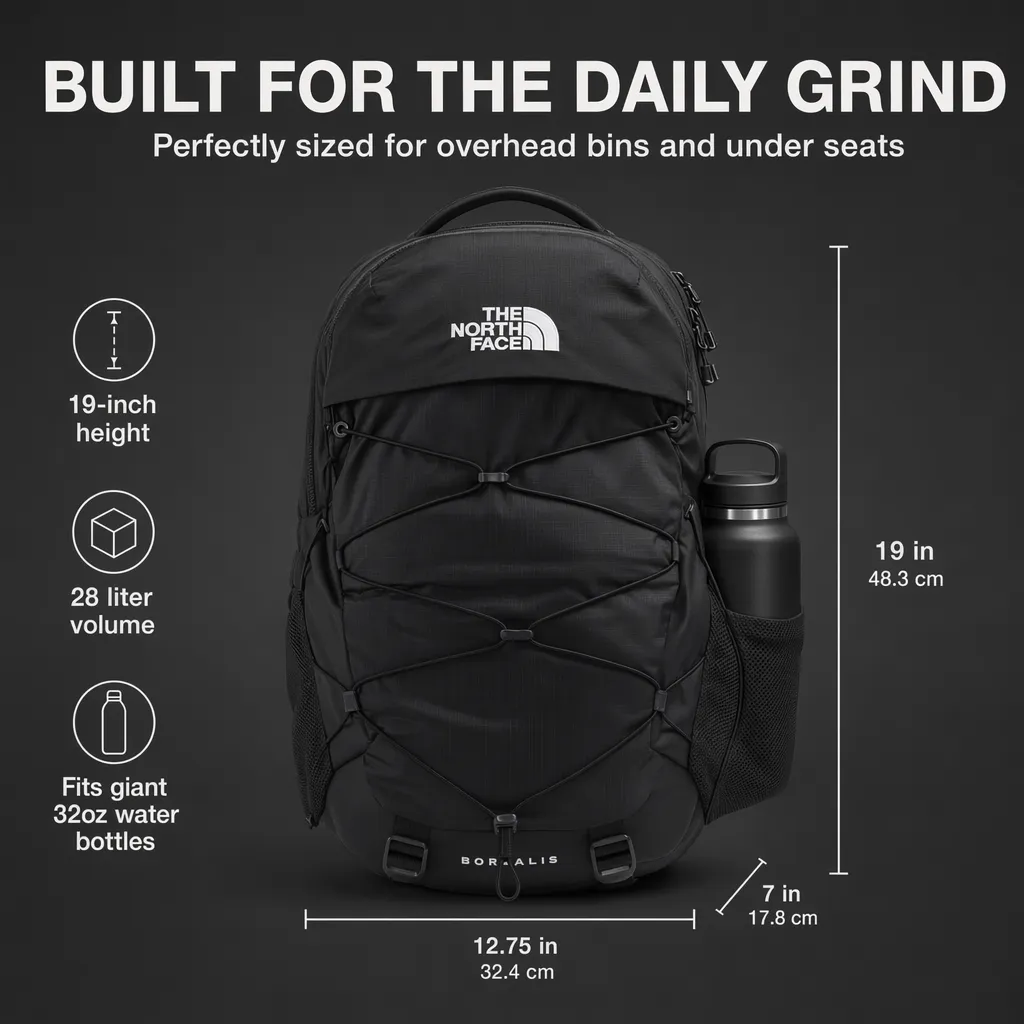
What Pixii returns from one ASIN


How to choose in one minute
Match the tool to the deliverable:
- Need a video ad? Creatify.
- Want a real, art-directed shoot and have the budget? Soona.
- Wiring image enhancement into your own pipeline via API? Claid.
- Composing one product scene by hand? Flair AI.
- A complete Amazon listing set from an ASIN, at catalog scale? Pixii.
How Pixii works
Enter an ASIN or upload a product photo and Pixii returns the full set, trained on 100,000 top listings. The full step-by-step is in our Amazon product photography guide.
See it on your own product. Drop an ASIN or a product photo and get a full, editable listing set in about two minutes.
What customers say
50% of clients see less than a 20% increase. The other 50% are seeing anywhere from 20 to over 2,500% increase in sales.
We see an overall lift in sessions, which is discoverability, conversion rates, and then niche rank, your rank versus competitors.
Pick the tool that matches your job. For a full Amazon listing set, enter your ASIN into Pixii to see the output on your own product.