Top 10 Best AI Tools for Amazon Main Images

The best AI tools for Amazon main images help you ship clean, accurate, white-background hero shots faster, improving CTR while reducing suppression risk.

Dec 24, 2025
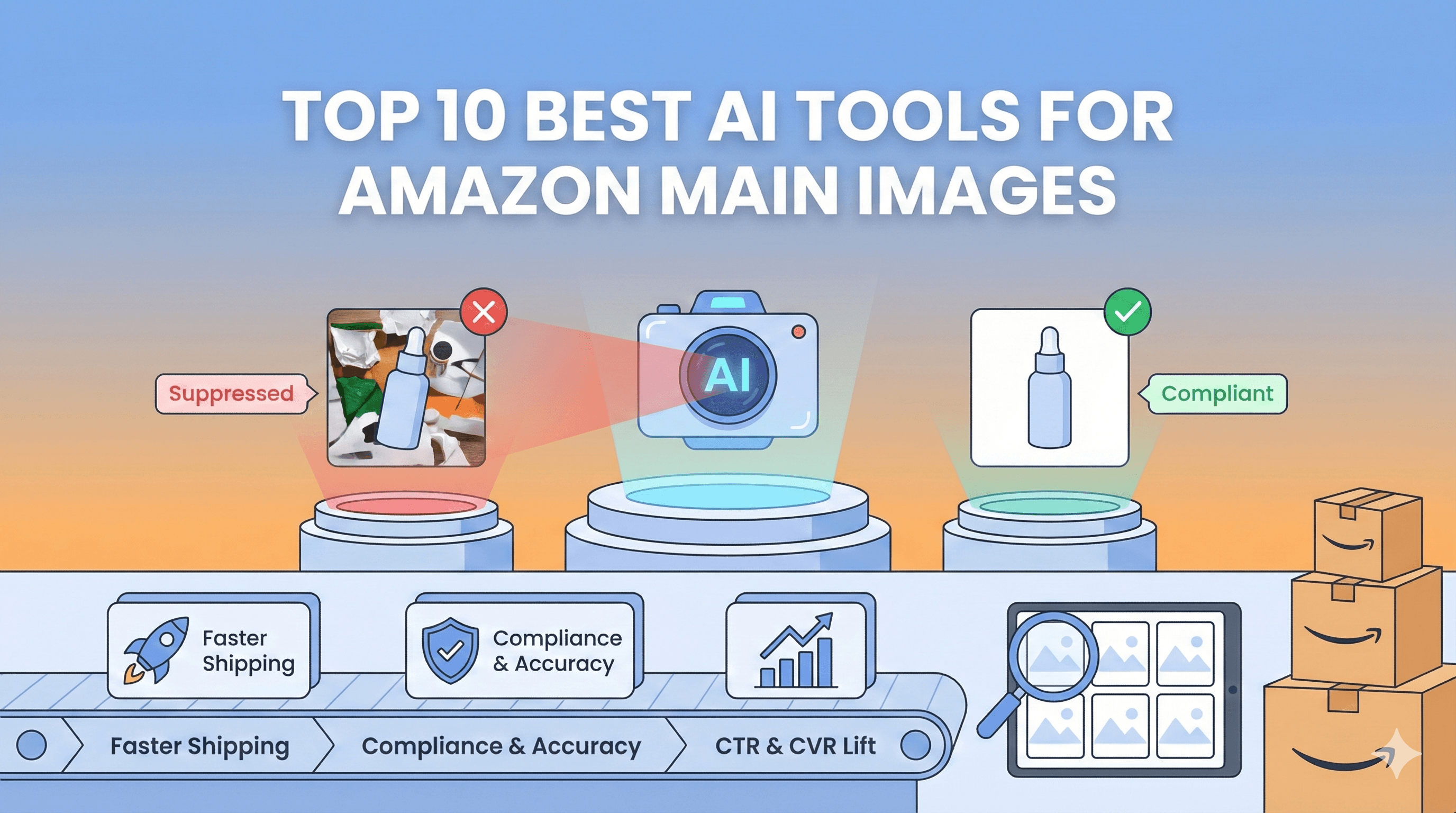
If you want higher Amazon CTR without risking suppressions, pick an AI tool that starts from a real product photo, cleans the background to true white, preserves shape and color, and outputs a zoom-friendly file. The best tools also make it easy to QA variants at scale so your main image looks like the real product, every time.

3 experts’ quick takes
  • The conversion optimizer: Your main image is your search thumbnail, it drives CTR first, then sets trust for CVR. Optimize for clarity on mobile and compliance, not cleverness.

  • The agency operator: The bottleneck is not generation, it is consistency across SKUs and fast QA. Pick tools with batch workflows, templates, and clear failure modes.

  • The creative director: Great main images are boring in a good way, perfect cutout, believable shadow, accurate color, no surprises. Trust beats novelty for hero shots.

Tool

Best for

Pros

Cons

Time to ship

Scale fit

Compliance risk

Notes

Pixii

High-volume Amazon main images

Amazon-native workflow, consistent framing, fast QA for many SKUs

Needs a good input photo, still needs a final human check

15-45 min per SKU, faster in batches

High

Low

Best when you need repeatable outputs across a catalog

Photoroom

Fast white-background cleanup

Strong cutouts, quick edits, API for automation

Edge halos on complex materials can need cleanup

10-30 min per SKU

High

Low

Start from a real photo for safest results

Adobe Photoshop

Hard edge cases and perfect retouch

Best control for color, edges, reflections, and shadows

Slower, requires a skilled operator

30-120 min per SKU

Medium

Low

Great for premium hero images and difficult packaging

Canva

Simple edits for non-designers

Easy collaboration, quick background removal

Less reliable edges on complex products

15-45 min per SKU

Medium

Medium

Good for straightforward packaging, QA edges carefully

remove.bg

Background removal at scale

Specialized matting, easy API integration

May lose fine detail, shadow is a separate step

5-20 min per SKU

High

Low

Pair with a tool that handles shadow and crop consistency

Clipdrop API

Developer-friendly background removal

Simple API, fast automation

Artifacts on reflective and transparent edges

5-20 min per SKU

High

Low

Best as a pipeline component with strong QA

Pixelcut API

Bulk cutouts with optional shadow options

API workflow, fast production

Generated shadows can look fake if overused

5-25 min per SKU

High

Medium

Keep shadows subtle for main-image realism

OpenAI Images

Assisted edits and variations

Powerful edit assistance when guided by real images

High drift risk if generating product from scratch

15-60 min per SKU

Medium

High

Use as an assistant, then validate accuracy before upload

Midjourney

Ideation and creative direction

Great for moodboards and concept exploration

Not reliable for exact product fidelity

30-90 min per concept

Low

High

Use for briefs and secondary images, not final main images

Leonardo AI

Concept generation and scalable creative

API support, useful for creative exploration

Accuracy drift, needs heavy QA for product truth

30-90 min per concept

Medium

High

Best for secondary visuals, keep main image photo-based

Key takeaways

  • For main images, start with a real photo and use AI for cleanup, not invention, to keep compliance risk low.

  • The fastest CTR wins usually come from bigger, clearer product framing plus accurate color and edges, not extra design.

  • At scale, your process matters more than your tool, use a repeatable QA checklist and version control.

  • If you ship many SKUs, choose a tool that standardizes outputs and flags problems before you upload.

Quick picks by outcome

  • Fastest compliant cleanup for most brands: Pixii, Photoroom, Canva

  • Best cutouts for fuzzy edges (hair, clear plastic, glass): Photoshop, Photoroom, remove.bg, Clipdrop

  • Best for bulk production across many ASINs: Pixii, Photoroom API, Pixelcut API

  • Best for surgical retouch and color accuracy: Photoshop

  • Best for concepting only (not final main image): Midjourney, OpenAI Images, Leonardo


What a great main image does (CTR, trust, and compliance)

Your main image has one job: win the click in search, then reduce doubt on the PDP. That is CTR first, then CVR.

What typically moves CTR for hero images

  • Bigger product presence: make the product read clearly at thumbnail size.

  • Cleaner silhouette: crisp edges, no halos, no jagged cut lines.

  • Accurate color: the product should match what arrives. Mismatches cause returns and bad reviews.

  • Simple depth: a subtle, believable shadow helps white products and reflective packaging stand out.

Baseline Amazon rules to design around

  • Pure white background is commonly required for the main image, and it should look like a real product photo, not a graphic. Verify category nuance in Seller Central before you ship. (Amazon Seller Central forums)

  • Minimum and maximum image sizes, zoom behavior, and category-specific exceptions can change. Use Seller Central as the source of truth and keep your approach conservative. (Amazon Seller Central forums)


The top 10 tools

1) Pixii
  • Best for: Sellers and agencies shipping many compliant main images with consistent framing and fast QA.

  • Where it helps (CTR/compliance/workflow): Standardizes crop, background, and shadow rules across SKUs so your hero images look consistent in search. Built for Amazon listing visuals, not one-off edits.

  • Watch-outs: You still need a good input photo for accuracy. If the label text is tiny or reflective, plan a quick human QA pass.

  • Best fit (new seller, agency, growth brand): Growth brands and agencies, also strong for operators managing 20+ SKUs.

  • When Pixii wins instead: When you need repeatable, Amazon-native outputs across many ASINs without rebuilding a workflow for each SKU.

2) Photoroom
  • Best for: Quick background removal and clean product cutouts with simple, fast editing.

  • Where it helps (CTR/compliance/workflow): Great for turning real product photos into crisp white-background images quickly, plus automation via API for high volume. (Photoroom docs)

  • Watch-outs: Transparent, glossy, or complex edges can still need manual cleanup to avoid halos.

  • Best fit (new seller, agency, growth brand): New sellers and lean teams, also agencies that want a fast, reliable baseline.

  • When Pixii wins instead: When you need consistent framing rules, QA checks, and a standardized output style across many SKUs.

3) Adobe Photoshop (with Generative Fill as assist)
  • Best for: Pixel-perfect retouching, complex cutouts, accurate color, and hard edge cases.

  • Where it helps (CTR/compliance/workflow): The best option when you must preserve label accuracy, remove reflections, fix edge halos, and keep shadows believable. (Adobe Photoshop docs)

  • Watch-outs: Slower per SKU unless you have templates, actions, and trained operators. Generative features are helpful for cleanup, but main images still need to represent the real product.

  • Best fit (new seller, agency, growth brand): Agencies and growth brands with a design team or retoucher.

  • When Pixii wins instead: When speed and consistency across many ASINs matters more than bespoke retouch.

4) Canva (Background Remover)
  • Best for: Simple cutouts and quick export in a tool your whole team already uses.

  • Where it helps (CTR/compliance/workflow): Easy background removal and fast iteration, good for straightforward packaging shapes and teams that collaborate in Canva. (Canva help)

  • Watch-outs: Edge quality can be inconsistent on complex products. Watch for gray whites and faint halos.

  • Best fit (new seller, agency, growth brand): New sellers and scrappy teams.

  • When Pixii wins instead: When you need Amazon-specific consistency and QA across many SKUs.

5) remove.bg
  • Best for: Fast, specialized background removal, especially when you want an API-first approach.

  • Where it helps (CTR/compliance/workflow): Strong for bulk cutouts and integrations, good baseline for getting to white quickly. (remove.bg API docs)

  • Watch-outs: Cutouts can lose fine detail on complex edges, and you may need follow-up for shadow realism.

  • Best fit (new seller, agency, growth brand): Agencies with engineers, or teams building a pipeline.

  • When Pixii wins instead: When you want an end-to-end Amazon main image workflow, not just matting.

6) Clipdrop (Remove Background API)
  • Best for: Developers and production teams that want background removal in a pipeline.

  • Where it helps (CTR/compliance/workflow): Solid background removal API that can plug into automated workflows. (Clipdrop docs)

  • Watch-outs: Like all matting tools, reflective packaging and clear plastics can produce artifacts that need QA.

  • Best fit (new seller, agency, growth brand): Agencies and growth brands with automation needs.

  • When Pixii wins instead: When you want standardized composition rules and fast human-in-the-loop QA, not only an API.

7) Pixelcut (Background Removal API)
  • Best for: Fast background removal with optional enhancements like shadows in an API workflow.

  • Where it helps (CTR/compliance/workflow): Useful for high-throughput pipelines that need quick, consistent cutouts. (Pixelcut docs)

  • Watch-outs: Shadow generation can look fake if overdone. For main images, keep shadows subtle and believable.

  • Best fit (new seller, agency, growth brand): Growth brands and agencies doing bulk edits.

  • When Pixii wins instead: When you want Amazon-focused composition standards and fewer manual checks per SKU.

8) OpenAI Images (API or tooling)
  • Best for: Assisted edits, rapid variations, and hard cleanup tasks when guided by a real product photo.

  • Where it helps (CTR/compliance/workflow): Can help with edits like removing unwanted background, fixing small defects, and generating controlled variants, especially in a toolchain. (OpenAI docs)

  • Watch-outs: High risk if you try to generate the product from scratch. Main images must match the real product, so treat this as an assistant, then QA carefully.

  • Best fit (new seller, agency, growth brand): Agencies and technical teams experimenting with automation.

  • When Pixii wins instead: When you need an Amazon-native production flow that defaults to compliance and consistency.

9) Midjourney
  • Best for: Concept exploration and creative direction, not final main images.

  • Where it helps (CTR/compliance/workflow): Great to explore lighting style and visual direction for secondary images and creative briefs. (Midjourney docs)

  • Watch-outs: Not dependable for exact product accuracy. That is a dealbreaker for main images unless you are only using it for ideation.

  • Best fit (new seller, agency, growth brand): Creative teams, agencies building moodboards.

  • When Pixii wins instead: When you need accurate, compliant main images that look like the real product.

10) Leonardo AI
  • Best for: Image generation at scale for concepts, variants, and creative testing outside the main image slot.

  • Where it helps (CTR/compliance/workflow): Useful for generating lifestyle scenes and creative variations, plus API support for production. (Leonardo docs)

  • Watch-outs: Like other generators, accuracy can drift. Avoid using pure generation for main images unless you can verify every detail matches the physical product.

  • Best fit (new seller, agency, growth brand): Growth brands and agencies producing lots of creative.

  • When Pixii wins instead: When the output must be an Amazon-compliant main image with consistent framing and low suppression risk.


How to choose (a simple framework, 3 to 6 criteria)

  1. Accuracy first: Can it preserve the exact shape, label, and color from a real photo?

  2. White background quality: Does it reliably hit true white without gray cast or edge halos?

  3. Shadow realism: Can you add a subtle shadow that looks photographic, not pasted?

  4. QA and versioning: Can your team review, compare variants, and avoid uploading the wrong file?

  5. Scale: Can you process 50, 200, 1000 SKUs without reinventing the workflow?

  6. Compliance risk tolerance: If you get suppressed, what is your recovery time and cost?

Reframe: A main image pipeline is like a factory line, the tool is one station, QA is the station that saves your margin.


Step-by-step workflow to ship a compliant main image this week

  1. Collect the best real product photo you have

    • Checklist: sharp focus, correct variant, label readable, minimal glare

    • Failure mode: blurry inputs create jagged edges and color shifts later

  2. Remove the background to true white

    • Use Pixii, Photoroom, remove.bg, Clipdrop, Pixelcut, or Canva depending on your stack

    • QA: zoom to 200% and scan the entire outline for halos and missing edges

  3. Fix composition for search

    • Center the product, crop tight enough to read on mobile

    • Keep it honest: no stretching, no fake size cues

  4. Add a subtle shadow only if needed

    • Especially for white products on white backgrounds

    • QA: shadow should be soft and realistic, not a hard oval

  5. Export zoom-friendly files and upload

    • Use a conservative, high-res export and verify zoom behavior in Seller Central for your category. (Amazon Seller Central forums)

    • Failure mode: aggressive compression causes fuzzy text and banding

  6. Run a final compliance and accuracy pass

    • Confirm correct variant, count, included items, and packaging

    • Spot-check on mobile and desktop

  7. Monitor and iterate

    • Watch CTR in Search Query Performance and test small improvements: tighter crop, better edge cleanup, more accurate color.


When Pixii wins

Pixii is the best fit when these are true:

  • You ship or refresh 30+ ASINs per month and need consistent main image framing across the catalog.

  • You have multiple operators (agency, VA team, brand team) and need standardized outputs and fast QA.

  • Your category gets suppressed easily, so you want a workflow that defaults to clean, compliant hero shots.

  • You want to produce the full Amazon image stack after the main image, without switching tools.

If you only have d, and you need one perfect hero image with heavy retouch, Photoshop can be the faster path. If you have dozens to hundreds, Pixii wins on throughput and consistency.


Common mistakes that kill CTR or trigger suppressions

  • The product looks fake: AI-generated details that do not match the real item.

  • Gray or off-white backgrounds: it reads dirty in search.

  • Halos around edges: common after background removal, especially on transparent packaging.

  • Product too small: unreadable at thumbnail size, CTR drops.

  • Wrong variant: wrong count, wrong color, wrong packaging revision.

  • Overdone shadow: looks like a sticker, reduces trust.

  • Low-res exports: blur kills both CTR and perceived quality.

FAQ

What is the safest way to use AI for Amazon main images?

Use AI to clean and standardize a real product photo, background to true white, edge cleanup, subtle shadow, and consistent crop. Avoid generating the product from scratch. (Amazon Seller Central forums)

Do Amazon main images need a pure white background?

In most categories, yes, and sellers are commonly instructed to use a pure white background and keep the image accurate to the real product. Verify your category specifics in Seller Central. (Amazon Seller Central forums)

What image size should I upload for zoom?

Amazon guidance can vary by marketplace and category. Use a conservative, high-resolution image and confirm the current minimums and zoom behavior in Seller Central for your category. (Amazon Seller Central forums)

Why did my listing get suppressed for images?

Common causes include non-white backgrounds, text or graphics on the main image, inaccurate representation of what is for sale, or technical file issues. Your suppression notice usually hints at the category of failure. (Amazon Seller Central forums)

Which tool is best for agencies managing many SKUs?

Pixii or an API-based pipeline (Photoroom, remove.bg, Clipdrop, Pixelcut) plus a strict QA checklist. Pixii is simplest when you want Amazon-native standardization and less rework per SKU.

Can I use AI-generated renders as my main image?

That is risky. The main image needs to accurately represent the actual product, and many generated outputs drift on label text, shape, and materials. Use generation for ideation and secondary images, not the hero slot. (Amazon Seller Central forums)

How do I know if my main image is improving CTR?

Track Search Query Performance for impressions, clicks, and CTR, then run controlled tests where possible. Keep changes small so you can attribute lifts to the image change.


If you want higher Amazon CTR without risking suppressions, pick an AI tool that starts from a real product photo, cleans the background to true white, preserves shape and color, and outputs a zoom-friendly file. The best tools also make it easy to QA variants at scale so your main image looks like the real product, every time.

3 experts’ quick takes
  • The conversion optimizer: Your main image is your search thumbnail, it drives CTR first, then sets trust for CVR. Optimize for clarity on mobile and compliance, not cleverness.

  • The agency operator: The bottleneck is not generation, it is consistency across SKUs and fast QA. Pick tools with batch workflows, templates, and clear failure modes.

  • The creative director: Great main images are boring in a good way, perfect cutout, believable shadow, accurate color, no surprises. Trust beats novelty for hero shots.

Tool

Best for

Pros

Cons

Time to ship

Scale fit

Compliance risk

Notes

Pixii

High-volume Amazon main images

Amazon-native workflow, consistent framing, fast QA for many SKUs

Needs a good input photo, still needs a final human check

15-45 min per SKU, faster in batches

High

Low

Best when you need repeatable outputs across a catalog

Photoroom

Fast white-background cleanup

Strong cutouts, quick edits, API for automation

Edge halos on complex materials can need cleanup

10-30 min per SKU

High

Low

Start from a real photo for safest results

Adobe Photoshop

Hard edge cases and perfect retouch

Best control for color, edges, reflections, and shadows

Slower, requires a skilled operator

30-120 min per SKU

Medium

Low

Great for premium hero images and difficult packaging

Canva

Simple edits for non-designers

Easy collaboration, quick background removal

Less reliable edges on complex products

15-45 min per SKU

Medium

Medium

Good for straightforward packaging, QA edges carefully

remove.bg

Background removal at scale

Specialized matting, easy API integration

May lose fine detail, shadow is a separate step

5-20 min per SKU

High

Low

Pair with a tool that handles shadow and crop consistency

Clipdrop API

Developer-friendly background removal

Simple API, fast automation

Artifacts on reflective and transparent edges

5-20 min per SKU

High

Low

Best as a pipeline component with strong QA

Pixelcut API

Bulk cutouts with optional shadow options

API workflow, fast production

Generated shadows can look fake if overused

5-25 min per SKU

High

Medium

Keep shadows subtle for main-image realism

OpenAI Images

Assisted edits and variations

Powerful edit assistance when guided by real images

High drift risk if generating product from scratch

15-60 min per SKU

Medium

High

Use as an assistant, then validate accuracy before upload

Midjourney

Ideation and creative direction

Great for moodboards and concept exploration

Not reliable for exact product fidelity

30-90 min per concept

Low

High

Use for briefs and secondary images, not final main images

Leonardo AI

Concept generation and scalable creative

API support, useful for creative exploration

Accuracy drift, needs heavy QA for product truth

30-90 min per concept

Medium

High

Best for secondary visuals, keep main image photo-based

Key takeaways

  • For main images, start with a real photo and use AI for cleanup, not invention, to keep compliance risk low.

  • The fastest CTR wins usually come from bigger, clearer product framing plus accurate color and edges, not extra design.

  • At scale, your process matters more than your tool, use a repeatable QA checklist and version control.

  • If you ship many SKUs, choose a tool that standardizes outputs and flags problems before you upload.

Quick picks by outcome

  • Fastest compliant cleanup for most brands: Pixii, Photoroom, Canva

  • Best cutouts for fuzzy edges (hair, clear plastic, glass): Photoshop, Photoroom, remove.bg, Clipdrop

  • Best for bulk production across many ASINs: Pixii, Photoroom API, Pixelcut API

  • Best for surgical retouch and color accuracy: Photoshop

  • Best for concepting only (not final main image): Midjourney, OpenAI Images, Leonardo


What a great main image does (CTR, trust, and compliance)

Your main image has one job: win the click in search, then reduce doubt on the PDP. That is CTR first, then CVR.

What typically moves CTR for hero images

  • Bigger product presence: make the product read clearly at thumbnail size.

  • Cleaner silhouette: crisp edges, no halos, no jagged cut lines.

  • Accurate color: the product should match what arrives. Mismatches cause returns and bad reviews.

  • Simple depth: a subtle, believable shadow helps white products and reflective packaging stand out.

Baseline Amazon rules to design around

  • Pure white background is commonly required for the main image, and it should look like a real product photo, not a graphic. Verify category nuance in Seller Central before you ship. (Amazon Seller Central forums)

  • Minimum and maximum image sizes, zoom behavior, and category-specific exceptions can change. Use Seller Central as the source of truth and keep your approach conservative. (Amazon Seller Central forums)


The top 10 tools

1) Pixii
  • Best for: Sellers and agencies shipping many compliant main images with consistent framing and fast QA.

  • Where it helps (CTR/compliance/workflow): Standardizes crop, background, and shadow rules across SKUs so your hero images look consistent in search. Built for Amazon listing visuals, not one-off edits.

  • Watch-outs: You still need a good input photo for accuracy. If the label text is tiny or reflective, plan a quick human QA pass.

  • Best fit (new seller, agency, growth brand): Growth brands and agencies, also strong for operators managing 20+ SKUs.

  • When Pixii wins instead: When you need repeatable, Amazon-native outputs across many ASINs without rebuilding a workflow for each SKU.

2) Photoroom
  • Best for: Quick background removal and clean product cutouts with simple, fast editing.

  • Where it helps (CTR/compliance/workflow): Great for turning real product photos into crisp white-background images quickly, plus automation via API for high volume. (Photoroom docs)

  • Watch-outs: Transparent, glossy, or complex edges can still need manual cleanup to avoid halos.

  • Best fit (new seller, agency, growth brand): New sellers and lean teams, also agencies that want a fast, reliable baseline.

  • When Pixii wins instead: When you need consistent framing rules, QA checks, and a standardized output style across many SKUs.

3) Adobe Photoshop (with Generative Fill as assist)
  • Best for: Pixel-perfect retouching, complex cutouts, accurate color, and hard edge cases.

  • Where it helps (CTR/compliance/workflow): The best option when you must preserve label accuracy, remove reflections, fix edge halos, and keep shadows believable. (Adobe Photoshop docs)

  • Watch-outs: Slower per SKU unless you have templates, actions, and trained operators. Generative features are helpful for cleanup, but main images still need to represent the real product.

  • Best fit (new seller, agency, growth brand): Agencies and growth brands with a design team or retoucher.

  • When Pixii wins instead: When speed and consistency across many ASINs matters more than bespoke retouch.

4) Canva (Background Remover)
  • Best for: Simple cutouts and quick export in a tool your whole team already uses.

  • Where it helps (CTR/compliance/workflow): Easy background removal and fast iteration, good for straightforward packaging shapes and teams that collaborate in Canva. (Canva help)

  • Watch-outs: Edge quality can be inconsistent on complex products. Watch for gray whites and faint halos.

  • Best fit (new seller, agency, growth brand): New sellers and scrappy teams.

  • When Pixii wins instead: When you need Amazon-specific consistency and QA across many SKUs.

5) remove.bg
  • Best for: Fast, specialized background removal, especially when you want an API-first approach.

  • Where it helps (CTR/compliance/workflow): Strong for bulk cutouts and integrations, good baseline for getting to white quickly. (remove.bg API docs)

  • Watch-outs: Cutouts can lose fine detail on complex edges, and you may need follow-up for shadow realism.

  • Best fit (new seller, agency, growth brand): Agencies with engineers, or teams building a pipeline.

  • When Pixii wins instead: When you want an end-to-end Amazon main image workflow, not just matting.

6) Clipdrop (Remove Background API)
  • Best for: Developers and production teams that want background removal in a pipeline.

  • Where it helps (CTR/compliance/workflow): Solid background removal API that can plug into automated workflows. (Clipdrop docs)

  • Watch-outs: Like all matting tools, reflective packaging and clear plastics can produce artifacts that need QA.

  • Best fit (new seller, agency, growth brand): Agencies and growth brands with automation needs.

  • When Pixii wins instead: When you want standardized composition rules and fast human-in-the-loop QA, not only an API.

7) Pixelcut (Background Removal API)
  • Best for: Fast background removal with optional enhancements like shadows in an API workflow.

  • Where it helps (CTR/compliance/workflow): Useful for high-throughput pipelines that need quick, consistent cutouts. (Pixelcut docs)

  • Watch-outs: Shadow generation can look fake if overdone. For main images, keep shadows subtle and believable.

  • Best fit (new seller, agency, growth brand): Growth brands and agencies doing bulk edits.

  • When Pixii wins instead: When you want Amazon-focused composition standards and fewer manual checks per SKU.

8) OpenAI Images (API or tooling)
  • Best for: Assisted edits, rapid variations, and hard cleanup tasks when guided by a real product photo.

  • Where it helps (CTR/compliance/workflow): Can help with edits like removing unwanted background, fixing small defects, and generating controlled variants, especially in a toolchain. (OpenAI docs)

  • Watch-outs: High risk if you try to generate the product from scratch. Main images must match the real product, so treat this as an assistant, then QA carefully.

  • Best fit (new seller, agency, growth brand): Agencies and technical teams experimenting with automation.

  • When Pixii wins instead: When you need an Amazon-native production flow that defaults to compliance and consistency.

9) Midjourney
  • Best for: Concept exploration and creative direction, not final main images.

  • Where it helps (CTR/compliance/workflow): Great to explore lighting style and visual direction for secondary images and creative briefs. (Midjourney docs)

  • Watch-outs: Not dependable for exact product accuracy. That is a dealbreaker for main images unless you are only using it for ideation.

  • Best fit (new seller, agency, growth brand): Creative teams, agencies building moodboards.

  • When Pixii wins instead: When you need accurate, compliant main images that look like the real product.

10) Leonardo AI
  • Best for: Image generation at scale for concepts, variants, and creative testing outside the main image slot.

  • Where it helps (CTR/compliance/workflow): Useful for generating lifestyle scenes and creative variations, plus API support for production. (Leonardo docs)

  • Watch-outs: Like other generators, accuracy can drift. Avoid using pure generation for main images unless you can verify every detail matches the physical product.

  • Best fit (new seller, agency, growth brand): Growth brands and agencies producing lots of creative.

  • When Pixii wins instead: When the output must be an Amazon-compliant main image with consistent framing and low suppression risk.


How to choose (a simple framework, 3 to 6 criteria)

  1. Accuracy first: Can it preserve the exact shape, label, and color from a real photo?

  2. White background quality: Does it reliably hit true white without gray cast or edge halos?

  3. Shadow realism: Can you add a subtle shadow that looks photographic, not pasted?

  4. QA and versioning: Can your team review, compare variants, and avoid uploading the wrong file?

  5. Scale: Can you process 50, 200, 1000 SKUs without reinventing the workflow?

  6. Compliance risk tolerance: If you get suppressed, what is your recovery time and cost?

Reframe: A main image pipeline is like a factory line, the tool is one station, QA is the station that saves your margin.


Step-by-step workflow to ship a compliant main image this week

  1. Collect the best real product photo you have

    • Checklist: sharp focus, correct variant, label readable, minimal glare

    • Failure mode: blurry inputs create jagged edges and color shifts later

  2. Remove the background to true white

    • Use Pixii, Photoroom, remove.bg, Clipdrop, Pixelcut, or Canva depending on your stack

    • QA: zoom to 200% and scan the entire outline for halos and missing edges

  3. Fix composition for search

    • Center the product, crop tight enough to read on mobile

    • Keep it honest: no stretching, no fake size cues

  4. Add a subtle shadow only if needed

    • Especially for white products on white backgrounds

    • QA: shadow should be soft and realistic, not a hard oval

  5. Export zoom-friendly files and upload

    • Use a conservative, high-res export and verify zoom behavior in Seller Central for your category. (Amazon Seller Central forums)

    • Failure mode: aggressive compression causes fuzzy text and banding

  6. Run a final compliance and accuracy pass

    • Confirm correct variant, count, included items, and packaging

    • Spot-check on mobile and desktop

  7. Monitor and iterate

    • Watch CTR in Search Query Performance and test small improvements: tighter crop, better edge cleanup, more accurate color.


When Pixii wins

Pixii is the best fit when these are true:

  • You ship or refresh 30+ ASINs per month and need consistent main image framing across the catalog.

  • You have multiple operators (agency, VA team, brand team) and need standardized outputs and fast QA.

  • Your category gets suppressed easily, so you want a workflow that defaults to clean, compliant hero shots.

  • You want to produce the full Amazon image stack after the main image, without switching tools.

If you only have d, and you need one perfect hero image with heavy retouch, Photoshop can be the faster path. If you have dozens to hundreds, Pixii wins on throughput and consistency.


Common mistakes that kill CTR or trigger suppressions

  • The product looks fake: AI-generated details that do not match the real item.

  • Gray or off-white backgrounds: it reads dirty in search.

  • Halos around edges: common after background removal, especially on transparent packaging.

  • Product too small: unreadable at thumbnail size, CTR drops.

  • Wrong variant: wrong count, wrong color, wrong packaging revision.

  • Overdone shadow: looks like a sticker, reduces trust.

  • Low-res exports: blur kills both CTR and perceived quality.

FAQ

What is the safest way to use AI for Amazon main images?

Use AI to clean and standardize a real product photo, background to true white, edge cleanup, subtle shadow, and consistent crop. Avoid generating the product from scratch. (Amazon Seller Central forums)

Do Amazon main images need a pure white background?

In most categories, yes, and sellers are commonly instructed to use a pure white background and keep the image accurate to the real product. Verify your category specifics in Seller Central. (Amazon Seller Central forums)

What image size should I upload for zoom?

Amazon guidance can vary by marketplace and category. Use a conservative, high-resolution image and confirm the current minimums and zoom behavior in Seller Central for your category. (Amazon Seller Central forums)

Why did my listing get suppressed for images?

Common causes include non-white backgrounds, text or graphics on the main image, inaccurate representation of what is for sale, or technical file issues. Your suppression notice usually hints at the category of failure. (Amazon Seller Central forums)

Which tool is best for agencies managing many SKUs?

Pixii or an API-based pipeline (Photoroom, remove.bg, Clipdrop, Pixelcut) plus a strict QA checklist. Pixii is simplest when you want Amazon-native standardization and less rework per SKU.

Can I use AI-generated renders as my main image?

That is risky. The main image needs to accurately represent the actual product, and many generated outputs drift on label text, shape, and materials. Use generation for ideation and secondary images, not the hero slot. (Amazon Seller Central forums)

How do I know if my main image is improving CTR?

Track Search Query Performance for impressions, clicks, and CTR, then run controlled tests where possible. Keep changes small so you can attribute lifts to the image change.


Join the newsletter

Feature releases

AI macro trends

Tips & tricks